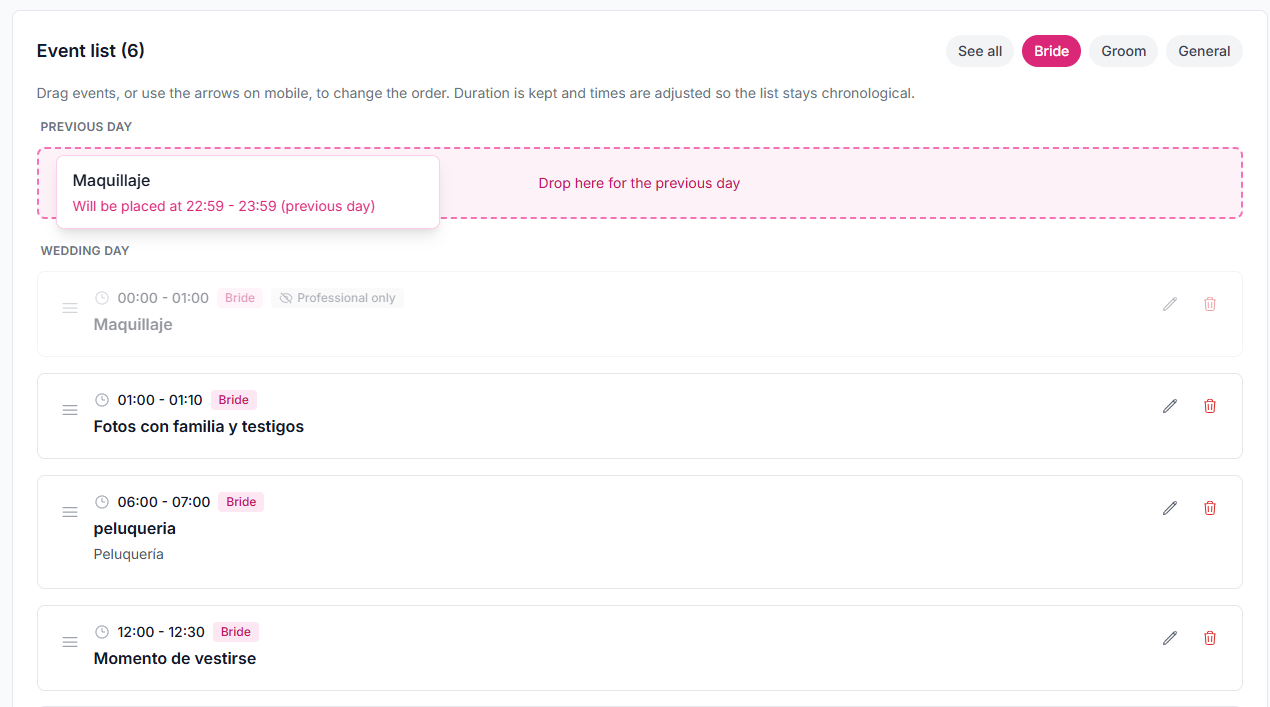
Drag and drop that recalculates the day
Every timeline event moves. If the ceremony slides, the rest of the day moves with it.
Wedding day timeline · Run of show · For planners
Build the run of show, drag one event, and the rest of the day recalculates. Use partner and general views, then export a PDF your team can follow.
No credit card. You land in the demo dashboard and pick a plan when it fits. From $29.99/mo.
A PDF is not a run of show
Photographer, catering, DJ, and venue each keep their own script. When the time changes, the email you sent last week is already wrong.
Cells that do not recalculate
You move the ceremony and then rewrite cocktail hour, portraits, and dinner by hand.
One schedule for two getting-ready tracks
Partners almost never line up. Forcing one thread lies about the day.
Versions in texts and PDFs
Each vendor prints whatever they got last. Nobody knows which file is live.

Drag a moment — the day shifts with it
Move one event on the timeline and the rest of the times recalculate.
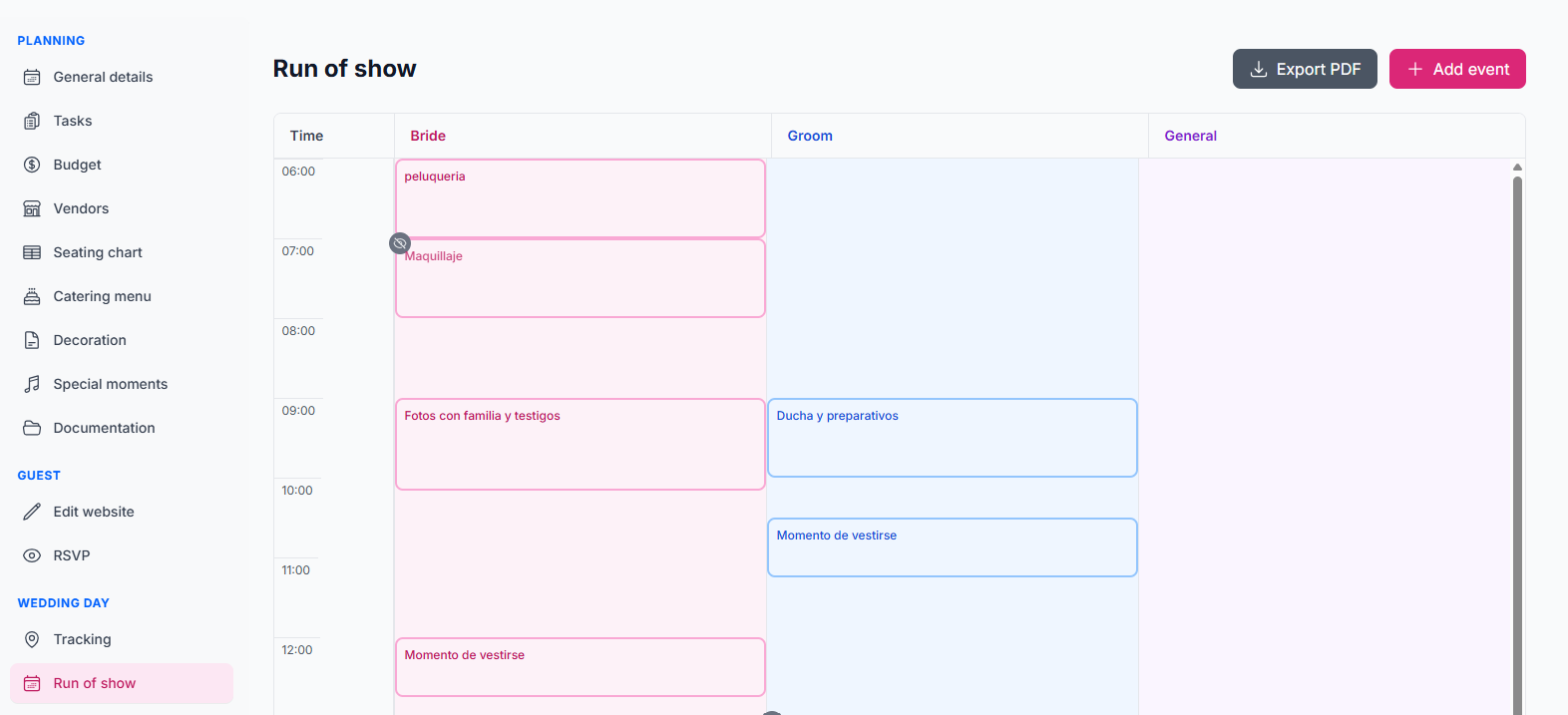
Partner views plus a general track
Run getting-ready in parallel and a general line for vendors and the venue.
A wedding-day PDF
Export the run of show for your team. Branded PDFs with your logo ship with Atelier.
What you can build
Every timeline event moves. If the ceremony slides, the rest of the day moves with it.
Three reads of the same day: each partner’s getting ready, plus the line vendors and the venue follow.
Hand your team a clean document. Exports with your logo are part of the Atelier plan.
Watch an event move and the rest of the day recalculate. Same editor you get in the dashboard.
It is the day’s schedule: every moment with a time, duration, location, and owner. It is what your vendors work from on the wedding day.
Yes. Drag a moment on the timeline and the rest of the times shift with it.
Yes. There is a view for each partner and a general view so getting-ready and vendors can run in parallel.
Yes. Export the run of show for your team. PDFs with your planner logo are included on the Atelier plan.
It is built for wedding planners. You build the day; the couple sees the version you publish in the portal.
No. Get started free, land in the demo dashboard, and pick a paid plan only if it fits.
Build the reception layout and export it for the venue and catering.
Step-by-step guide with a full example timeline for a 4:00 PM ceremony.
Close the guest list before you build the day's schedule.
The full CRM for planners running Miami, Orlando, and destination weddings.
Get started, build the run of show for your next wedding, and export it for your vendors today.